ChatGPT Now Lets Free Users Schedule Tasks Automatically
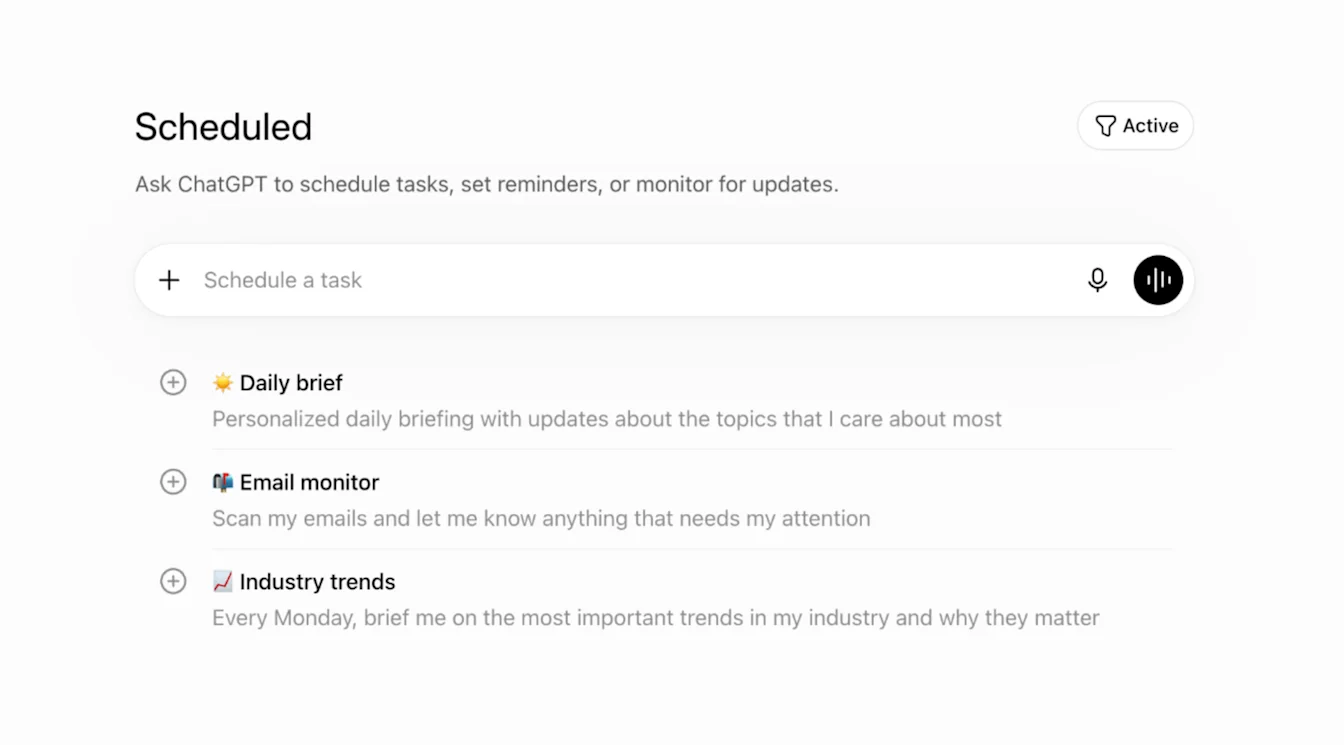
OpenAI has made ChatGPT's task-scheduling tool available to free accounts. The feature, which lets you ask ChatGPT to run a prompt at a later time, had been limited to paid subscribers since June (Engadget).
Free users can now schedule a one-time task or a recurring task that runs once per day. Instead of picking an exact time, you choose a general window like morning, afternoon, or evening (OpenAI Help). It is similar to setting a coffee maker to brew sometime in the morning rather than at a precise minute. That is a meaningful limit compared to what paying customers get, but it is enough to try out automated prompts.
Paid subscribers keep richer features. Plus, Pro, Business, and Enterprise customers can tell ChatGPT to run a prompt when something happens in Gmail, Slack, or GitHub (Engadget). Instead of saying "run this at 9 a.m.," a paying user can say "run this when a specific GitHub issue gets assigned" or "run this when a Slack channel mentions a keyword." Free accounts do not get these triggers.
OpenAI also made it possible to share scheduled tasks with other users (Engadget). Shared tasks could let teams hand off recurring work without everyone recreating the same setup, though OpenAI has not explained how permissions work for shared tasks.
OpenAI has suggested example uses like travel alerts for upcoming trips and notifications about new shows added to streaming services (Engadget). These are everyday, consumer-oriented examples, unlike the developer-focused triggers available to paid accounts.
Separately, OpenAI is rolling out a Slack integration that lets users chat with ChatGPT from inside Slack (OpenAI Help). This is different from the event-trigger feature for paid users, which uses Slack as a source of signals. The in-Slack chat integration brings ChatGPT directly into a tool people already use, rather than having it run quietly in the background.
The free-tier expansion comes about two months after the scheduled-tasks feature launched for paid customers in June. At that time, the hub gave users one place to view, edit, and manage their scheduled prompts instead of having them scattered across individual chat sessions.
The limits on the free tier tell their own story. One recurring task per day is enough to show the value of scheduling but not enough to replace a dedicated automation tool. A user can set a morning digest or an evening summary. They cannot build a multi-step system that reacts to events across different services. The paid tier's triggers through Gmail, Slack, and GitHub get closer to that, and the gap between the two tiers is wide enough to serve as a clear reason to upgrade.
The Slack chat integration places ChatGPT directly where many office workers already spend their day. It helps to keep two things straight: chatting with ChatGPT inside Slack is a conversational entry point, while having ChatGPT react to Slack events is an automation trigger. Both are rolling out, and together they suggest OpenAI is pushing ChatGPT from a website you visit into a tool that lives inside the apps you already use.
There is a familiar pattern here. Consumer AI products tend to start as standalone websites, add scheduling features, then gradually plug into existing workflows. The free-tier expansion of scheduled tasks fits the second step. The Slack integration fits the third. Both move ChatGPT further from a chat box you open and closer to a background tool that works on your behalf.
For anyone wondering whether ChatGPT's scheduling is ready to rely on beyond personal convenience, the answer depends on the tier. The once-per-day cap on free accounts and the lack of event triggers limit what you can do. Paid accounts with Gmail, Slack, and GitHub triggers are more useful, but the number of supported apps is still small. Teams looking at ChatGPT for automated monitoring or alerts will likely find the current options too limited for serious use, though they may work for lightweight tasks where a missed trigger is no big deal.
The ability to share tasks could matter for small teams splitting recurring checks among members. Without documented permissions or audit controls, though, it is hard to know how shared tasks behave in environments with access restrictions or compliance rules.
OpenAI has not said whether event-driven triggers or additional integrations beyond Gmail, Slack, and GitHub will reach the free tier. The current setup keeps the deeper automation features on the paid side while giving free users enough to understand what scheduled tasks can do.


