Your Samsung Galaxy Just Got Easier to Use
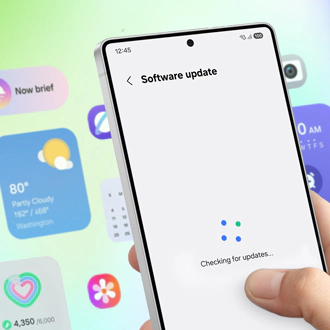
Samsung has released One UI 9, its new Galaxy phone software built on Android 17. It came out alongside Samsung's latest folding phones in August, and was tested by Engadget on a Galaxy S26 Ultra and a Galaxy S25 Ultra.
Samsung first let Galaxy S26 owners try an early test version. That version was described as adding creative tools, more ways to customize the phone, easier use and stronger protection. The full release to more phones started September 16, and reached the Galaxy S25 and several other Galaxy phones on October 5, 2026, according to Forbes.
One UI 9 sits on top of Google's Android 17 and adds Samsung's own features and design changes, as noted by TechRepublic. Samsung says the focus is Galaxy AI, personal touches, doing more than one thing at once, and better privacy. The company says the new tools help users capture, personalize, and manage, and help keep people in focus and show information fitted to each user.
One of the five features to try after updating is My FanCam. It takes a wide video and zooms in to follow one person you pick. No special camera setting is needed. Open a video you already recorded in Samsung Gallery, tap the Galaxy AI sparkles button, and choose the person. It works like cropping a group photo to focus on one face, except it follows that person through the video.
The edit happens after you record. Your video is processed on the phone itself, without sending it over the internet, and it worked in airplane mode in testing. You still need to be logged in to a Samsung account to use it.
Two other changes affect daily use rather than video. Expanded Quick Panel customization is among the recommended features, and gives you more control over the buttons and layout you see when you swipe down from the top. Now Nudge shows related information in your notifications, so you do not always need to open an app.
For installing, Samsung provides an official support article titled How to upgrade your Galaxy device to Samsung One UI 9. Samsung points users to the user manual or Setup Wizard to learn what is new, per Samsung.
In my view, the pair to watch is on-phone processing with a login rule. Doing the work on the phone cuts waiting time and keeps your personal video off the internet. Asking for a login for a task the phone can do alone adds a step that is not technically needed. For daily use, My FanCam will prove useful if picture quality holds up when subjects move or light is low. The long arc is hopeful, with a phone bought for calls and messages able to handle simple video editing as well.