One UI 9 Moves Deeper Galaxy Controls Into Good Lock's Home Up
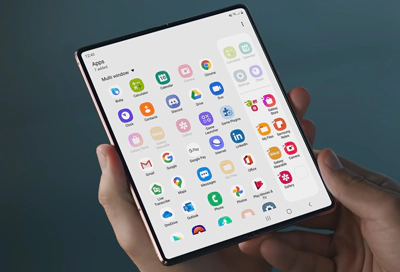
Samsung's One UI 9 adds new interface and customization options for Galaxy phones, but they are not in the default Settings menu. They require Good Lock, Samsung's add-on toolkit, and specifically its Home Up module. Engadget
The update follows the One UI 9 beta for Galaxy S26 series users that Samsung opened on May 12, 2026. Samsung said that beta delivered expanded creative tools and a more accessible mobile experience. Samsung Newsroom A regional notice lists Android 17 as the underlying base. Samsung Newsroom
Inside Home Up, the Favorites Background setting controls the backdrop for the favorites screen. Users can change the image and color, and add blur and shadow effects. The dependency is strict. Without Home Up installed, those properties are not exposed.
Home Up also holds options for the Edge Panel, the narrow shortcut strip that slides in from the side of the display. The baseline system path is documented separately. Users swipe left to open the Edge panel, tap the Settings icon, and tap Edit below the Apps Edge panel to begin customizing it. Samsung Support
Gesture input gets more granular. Gesture settings in Home Up allow assigning swipes or pinches with two, three, four, and five fingers to specific actions. That creates a wider set of inputs than single-finger navigation. It also puts setup in a module users must deliberately install and enable.
Quick Panel editing uses direct touch. Users tap the Edit icon, drag elements to reposition them, drag from their right corner to resize, or delete them. For the Galaxy S26 series, Samsung documents the entry as swiping down from the top right corner to open the panel, tapping the Edit icon, then tapping Panel settings. Samsung Support Samsung describes the customizable Quick panel on Galaxy phones or tablets as a way to access and use different functions quickly and easily. Samsung Support
For people who manage or test phones, the architecture is what matters. Core behavior stays relatively stable while expressive control moves to Good Lock and Home Up. That separation keeps the out-of-box launcher predictable for fleet images and support scripts, while giving power users, testers, and accessibility specialists an approved layer to reshape layout, edge access, and input.
In my view, the tradeoff worth watching is discoverability against consistency. Multi-finger gestures and resizable Quick Panel tiles add density and speed once configured. They also raise the chance that two devices on the same OS version behave differently in the field. Teams that support Galaxy hardware will need documentation and reset steps that check Home Up state, not only OS version.
The broader context here is encouraging for longevity. When customization lives in an updatable module instead of requiring a full OS upgrade, users can refine ergonomics without waiting on firmware cycles. Blur, shadow, color, panel layout, and gesture mapping do not change what the phone can do. They change how quickly a specific person can reach what they already use, and that small saving in friction compounds over thousands of interactions.


