One UI 9 Brings Android 17 to Galaxy Phones, With On-Device Video Editing
Samsung has released One UI 9, the first version of its Galaxy software built on Android 17. It arrived alongside Samsung's latest foldables in August, and was tested by Engadget on a Galaxy S26 Ultra and a Galaxy S25 Ultra.
The release followed Samsung's usual sequence. Samsung opened a One UI 9 beta program for Galaxy S26 series users, described as bringing expanded creative tools, customization options, a more accessible mobile experience and stronger protection. Samsung then started the official rollout to more devices on September 16, with the update reaching the Galaxy S25 and several other Galaxy phones on October 5, 2026, according to Forbes.
One UI 9 sits on top of Google's Android 17 operating system and adds Samsung-specific features and interface changes, as noted by TechRepublic. Samsung frames the release around Galaxy AI, personalization, multitasking, and enhanced privacy. In its rollout language, the company says the new features help users capture, personalize, and manage, and add new ways to keep people in focus and tailor the information users see.
One of the five recommended features to try after updating is My FanCam. It turns a wide video into a tight tracking shot that follows a single selected person. No special recording mode is needed. Open a video you already recorded in Samsung Gallery, tap the Galaxy AI sparkles button, and select the subject to reframe.
The edit happens after recording. Framing can be decided later, with cropping and subject tracking applied as an editing step rather than at the time of capture. In testing, My FanCam processed video on the phone itself, known as on-device processing, without sending data to the cloud and it worked in airplane mode. It still requires a Samsung account login to use.
Two other additions change system behavior rather than media. Expanded Quick Panel customization is among the recommended features, giving users more control over toggles and layout in the quick-settings shade pulled down from the top of the screen. Now Nudge is designed to show contextual information when needed, surfacing relevant content in notifications without requiring an app to be opened.
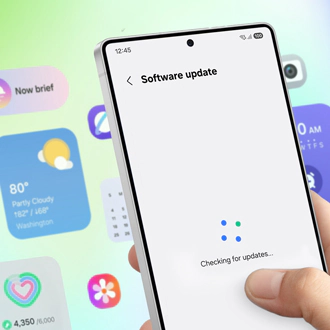
For installation, Samsung provides an official support article titled How to upgrade your Galaxy device to Samsung One UI 9. Samsung directs users to learn the new functions in the user manual or Setup Wizard, per Samsung.
In my view, the combination to watch is on-device execution paired with account gating. Running detection and reframing locally, verified to work without connectivity, cuts delay and keeps personal video off the upload path. Requiring login for a local function adds an identity step where none is technically needed. For daily use, My FanCam will earn its place if output quality holds up with movement and low light, while Quick Panel tweaks and contextual nudges will decide whether the phone feels quieter or noisier. The long arc here is encouraging, with stronger local processing letting a phone bought for communication double as an editing bench, much as laptops once absorbed work that needed a desktop.