Firefox Smart Window Can Now Fill Web Forms From Your Open Tabs
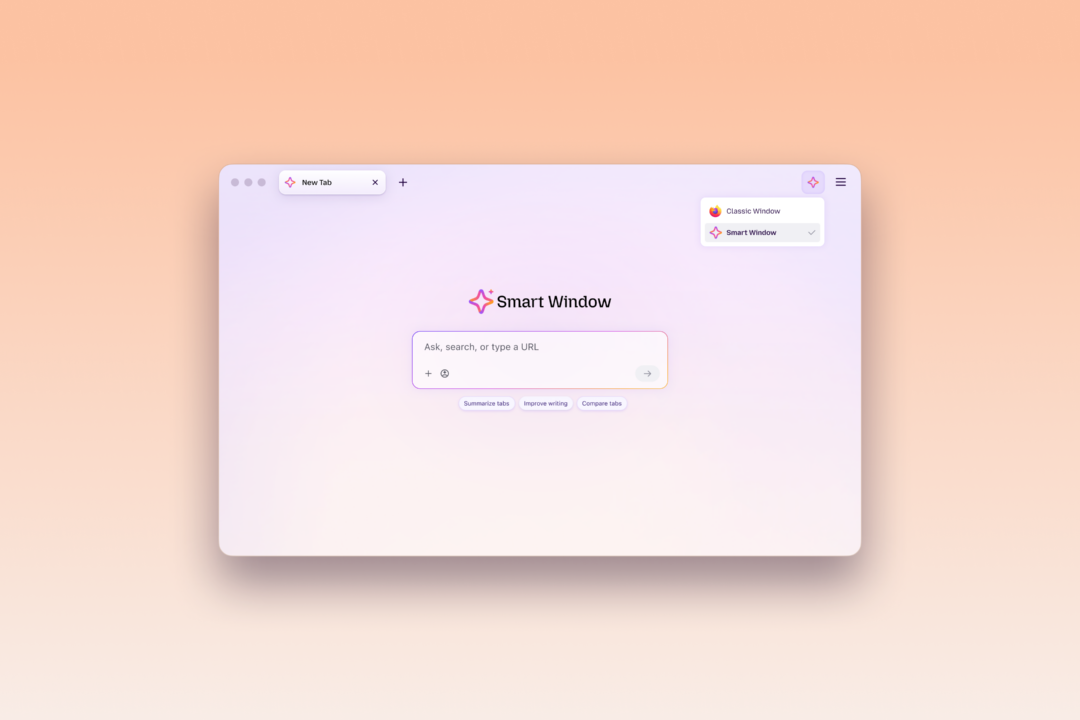
Mozilla is updating Firefox Smart Window with a feature that fills online forms using the contents of the user's open tabs, The Verge reported. The form-fill and webpage-watching features are rolling out to the Smart Window beta on desktop in the US and Canada.
Smart Window is Firefox's opt-in AI browsing experience, meaning it stays off unless the user switches it on. Mozilla describes it as an intelligent workspace that organizes, compares and prioritizes tabs so users reach answers and decisions faster. The form-fill feature extends that model from reading pages to completing them.
To use it, a user clicks into a form that has at least four text fields, the boxes where typing goes, and selects a "Fill from sources" option. Smart Window can pull work history from an online portfolio or LinkedIn page into a job application. Users can select or deselect which open tabs Firefox draws on to generate suggestions. That gives them a per-session control, a setting that applies to the current browsing session, over the input set. According to Mozilla's support documentation, the feature recognizes the context of a form and the type of information it requests. Support for dropdown menus and PDFs is in development. The current release handles text fields on web forms only.
The data path matters for anyone evaluating this in an enterprise or privacy-sensitive setting. Data from source pages is shared with Google's Gemini 3.1 Flash Lite, a large language model, to generate the text suggestions. Separately, Smart Window's built-in AI assistant has access to browsing history and can learn from user activity if the user chooses to create memories. Those are two distinct mechanisms.
The watch feature runs on a different cadence. A user types "/watch" in Smart Window chat, describes what to look for, and adds the webpages to monitor. Mozilla's examples include sales, new job listings, and other page updates. Smart Window can watch a page for a new listing that includes a specific job title. Firefox checks watched pages on a daily or weekly schedule, but only while the browser is open, so a closed browser does not poll. When a change is detected, Firefox notifies the user through the Tasks button in the toolbar or through desktop notifications. Watching pauses after 60 days without a detected change and stops completely after 90 days.
For anyone expecting a persistent monitor, those limits matter. The feature is a convenience that runs inside a live browser session. It is not a background crawler, the kind of program that keeps scanning sites on its own, and it winds itself down when nothing changes.
The timing sits close to another Firefox release. PCWorld reported on 14 October that Firefox 158 added AI form filling and fixed 77 security flaws. The Smart Window update now extends that form-filling capability with tab-based sourcing and the new watch functions.
The broader context here is the familiar tension between convenience and data exposure in AI-assisted browsing. Form-filling draws on personal details. The tab-selection control and opt-in design put a visible decision point in front of the user before that data is used. Whether the Gemini processing path satisfies a given organization's data-handling requirements is a question for that organization to answer from the documentation. The current beta is limited to desktop in two markets.
In my view, the more useful measure of this release will be how the controls behave in practice. The questions are whether the tab selection is easy to audit, and whether the 60- and 90-day limits on watches are clear enough that users do not lose track of tasks they assumed were still running. For people who routinely re-enter the same work history into job portals, or who check a set of pages for listings every week, the feature removes a repetitive task. It is a modest gain, the kind that tends to accumulate.