Apple's HomeView Borrows Your iPhone to Decide Who Gets Personal Data

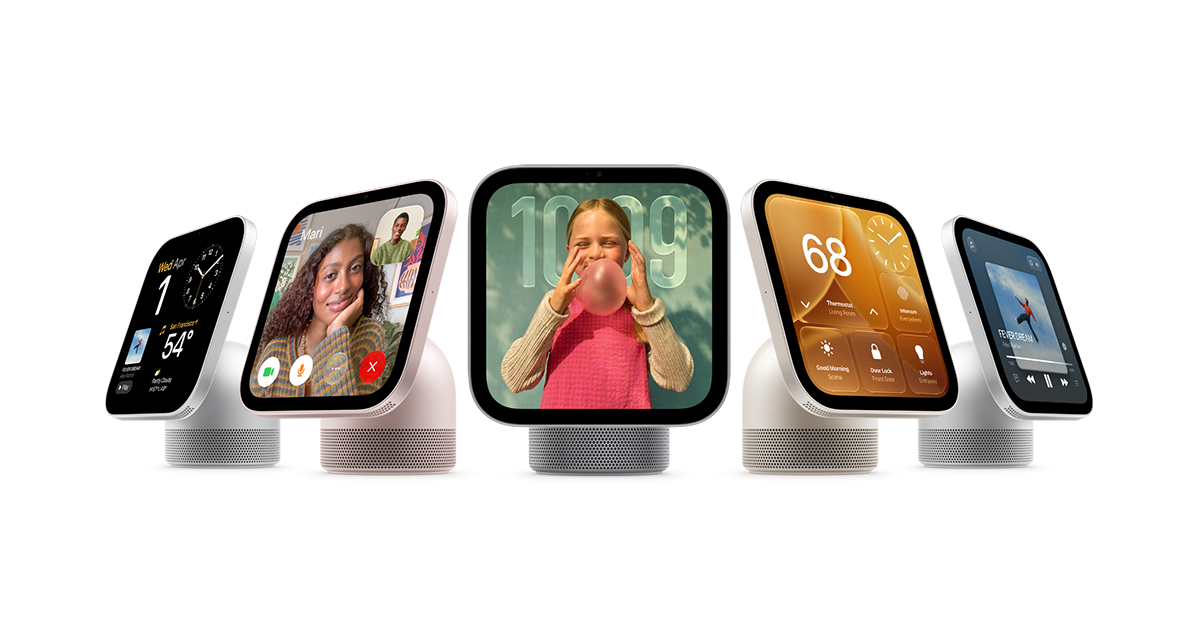
Apple's HomeView does not run standalone downloadable apps. It mirrors compatible apps installed on a paired iPhone or iPad, and it needs one of those devices nearby to function. Engadget reported the design, which Apple CEO John Ternus framed by saying there is no product better designed to be an intelligent personal hub than iPhone.
The software model resembles CarPlay, Apple's system that projects phone apps onto a car's built-in display. HomeView surfaces Apple's Calendar, Messages, Reminders and Weather, drawing them from the paired handset rather than from a separate account on the device. Personal information such as Messages or Calendar entries requires that a nearby iPhone or iPad is present.
Identity handling is where the design becomes most specific. HomeView uses built-in face and voice recognition, meaning it compares a live face or voice against stored biometric data, to identify users. Personal information appears only after face recognition succeeds, and only when the paired iPhone is present and has been recently unlocked. When a recognized user walks away from the device, their personal information disappears from the screen. A user the system does not recognize is limited to basic tasks.
Beyond the personal layer, HomeView functions as a smart speaker for Siri queries, a smart home hub, a FaceTime station and a digital photo frame. Those functions are not gated by the same conditions. The personal features are.
Apple's product people describe the intent in similar terms. Cecilia Dantas of Apple's Home product marketing team said home products are designed to be intelligent, personal and private. Matthew Costello, Apple's VP of hardware engineering, said HomeView extends and links iPhone intelligence into a communal device. Apple's newsroom lists an update titled "Apple HomeView available today."
The broader context here is a familiar tension in shared computing. A device in a kitchen or living room serves several people, so any personal view on it has to answer who is currently looking. Apple delegates that question to two signals: a face or voice match, and the presence of a specific phone that was recently unlocked. Both are narrower than a password on a shared screen, and both depend on the handset being in the room.
In my view, the more consequential effect is architectural. Because HomeView mirrors apps rather than hosting them, its capabilities are bounded by what is installed on the paired handset. A hub with no app store of its own has no separate permissions model to audit, but it also has no independent offline function for personal data. The household's trust boundary moves onto the iPhone or iPad, which for most families is already the most personal device they own.
For guests and children, the practical result is a clearer split. Anyone unrecognized gets basic tasks, and anyone who leaves the room loses access to personal content. That is a simple rule for a shared object to follow, and simple rules tend to be easier to explain to a household than layered permissions.
What the design makes possible is a shared display that can answer a question, show a calendar, start a FaceTime call or cycle family photos without each person logging in, while the personal layer stays tied to a device the user already carries. Whether that boundary holds under real domestic conditions, with several people, shared phones and imperfect recognition, is something the first months of use will show more clearly than any product description.